
Introduction
Key Vault access policies are one of those things that seem straightforward until Terraform starts arguing with itself.
Most of the time you either manage permissions using the access_policy block inside the Key Vault resource, or you manage them using the standalone azurerm_key_vault_access_policy resource. Pick one approach and everything works as expected.
The problem starts when your deployment needs both.
I ran into this whilst building a deployment that needed to retain access for the pipeline creating the Key Vault whilst also granting permissions to resources that didn’t exist yet. Terraform’s documentation is very clear that these approaches conflict with each other, but the alternative was an unreliable deployment that occasionally locked itself out of the vault.
This article walks through the problem and the workaround I used to keep the deployment stable.
Understanding the Conflict
Terraform gives you two ways to manage Key Vault access policies:
access_policyblocks inside theazurerm_key_vaultresource- Standalone
azurerm_key_vault_access_policyresources
Unfortunately these approaches are mutually exclusive.
The provider documentation includes a warning about mixing the two because Terraform will attempt to manage the same configuration from multiple locations.
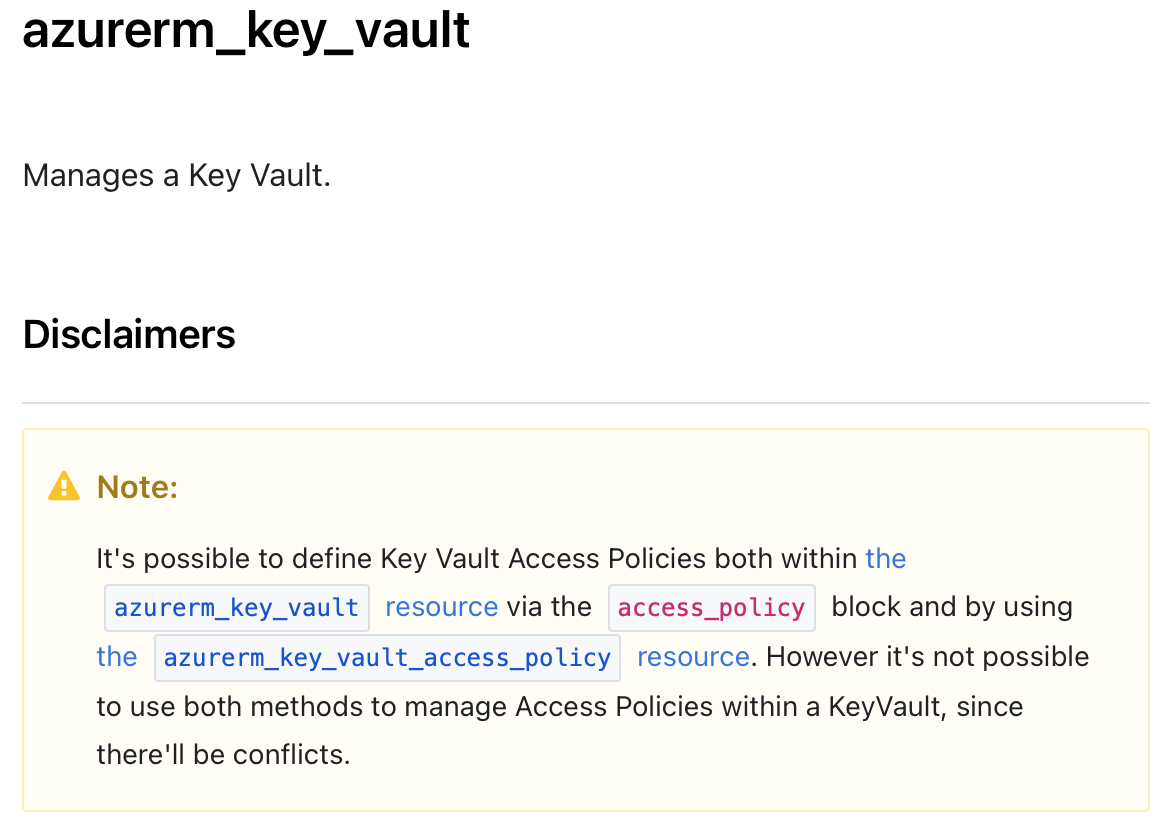
In most scenarios this warning is easy to avoid. You choose one method and move on.
My deployment wasn’t quite that simple.
The Problem I Hit
The Key Vault needed to be created with permissions for the pipeline service principal. Without those permissions, Terraform could lose access to secrets during future runs.
At the same time I needed to grant permissions to a Logic App managed identity. The catch was that the Logic App didn’t exist yet, so I couldn’t define everything inside the Key Vault resource during creation.
The result was an awkward dependency chain:
- Create the Key Vault.
- Keep the pipeline service principal permissions intact.
- Create the Logic App.
- Grant the Logic App access to the Key Vault.
When I attempted to manage everything using standalone access policy resources, the pipeline would occasionally fail during planning or state refresh operations because permissions weren’t always available when Terraform expected them.
I’ve lost enough time to intermittent pipeline failures to know that “it usually works” isn’t good enough.
The Workaround
The solution I settled on was to use both approaches whilst preventing Terraform from continually reconciling the embedded access policies.
The Key Vault keeps the pipeline service principal in an embedded access_policy block. Terraform then ignores changes to that block using a lifecycle rule.
Additional identities are added using standalone access policy resources.
Is this the pattern HashiCorp recommends? No.
Did it solve the deployment issue reliably in this scenario? Yes.
resource "azurerm_key_vault" "mgmt_keyvault" {
  provider = azurerm.management

  name                = local.key_vault_name
  location            = azurerm_resource_group.managed_services_rg.location
  resource_group_name = azurerm_resource_group.managed_services_rg.name
  tags                = local.logic_app_tags

  enabled_for_disk_encryption = true
  tenant_id                   = data.azurerm_client_config.current.tenant_id
  purge_protection_enabled    = var.purge_protection_enabled
  soft_delete_retention_days  = var.soft_delete_retention_days
  sku_name                    = "standard"

  access_policy {
    tenant_id = data.azurerm_client_config.current.tenant_id
    object_id = data.azurerm_client_config.current.object_id

    secret_permissions = [
      "Get",
      "List",
      "Set"
    ]
  }

  lifecycle {
    ignore_changes = [
      access_policy
    ]
  }
}

resource "azurerm_key_vault_access_policy" "mgmt_keyvault" {
  provider = azurerm.management

  depends_on = [
    azurerm_key_vault.mgmt_keyvault
  ]

  key_vault_id = azurerm_key_vault.mgmt_keyvault.id
  tenant_id    = azurerm_logic_app_workflow.service_now.identity[0].tenant_id
  object_id    = azurerm_logic_app_workflow.service_now.identity[0].principal_id

  secret_permissions = [
    "Get",
    "List"
  ]
}
Why This Works
The embedded access policy ensures the deployment identity never loses access to the vault.
The standalone access policy resource allows Terraform to grant permissions to resources created later in the deployment process.
The lifecycle rule effectively tells Terraform to stop trying to reconcile changes to the embedded policy block. That removes the conflict that was causing the deployment instability.
It’s not perfect, but neither are failed deployment pipelines.
Common Mistakes
Assuming Terraform Warnings Are Always Absolute
Provider warnings exist for a reason and should generally be followed.
However, understanding why the warning exists can help you evaluate whether a controlled exception is acceptable for your scenario.
Ignoring Deployment Identities
It’s easy to focus on application identities and forget the identity running Terraform.
If Terraform loses access to Key Vault during planning or state refresh operations, you’ll discover the problem at the least convenient moment.
Fighting Dependency Chains
When resources depend on identities that don’t exist yet, forcing everything into a single resource definition often creates more problems than it solves.
Sometimes introducing a controlled workaround is simpler than trying to create the perfect dependency graph.
Summary
Terraform provides two supported ways to manage Key Vault access policies, but certain deployment scenarios can leave you caught between them.
In my case, I needed to retain permissions for the deployment identity whilst granting access to resources created later in the deployment. Using an embedded access policy combined with lifecycle ignore rules allowed the deployment to remain stable whilst still assigning permissions to the Logic App.
I wouldn’t make this my default pattern, but it’s a useful option when dependency ordering and access management start working against each other.
What to Explore Next
- Migrating from Key Vault Access Policies to Azure RBAC
- Managing managed identities in Terraform
- Terraform lifecycle meta-arguments and when to use them
- Designing Azure deployments to avoid circular dependencies
