
Azure Cost Analysis is genuinely good at showing you where your money goes — but it doesn’t tell you what to do about it. Azure Advisor helps, but two common cost drains are barely covered: unattached Public IP addresses don’t appear in Advisor at all, and unattached disks only show up after 30 days. In a busy environment where VMs come and go, that’s a lot of idle spend going unnoticed.
This article walks through two Logic Apps that surface these resources automatically, using a Managed Identity to query ARM and logging results to Log Analytics. The pattern is straightforward to extend — tagging for auto-deletion, raising a service desk ticket, or sending an approval email are all reasonable next steps.
How the Logic Apps Work
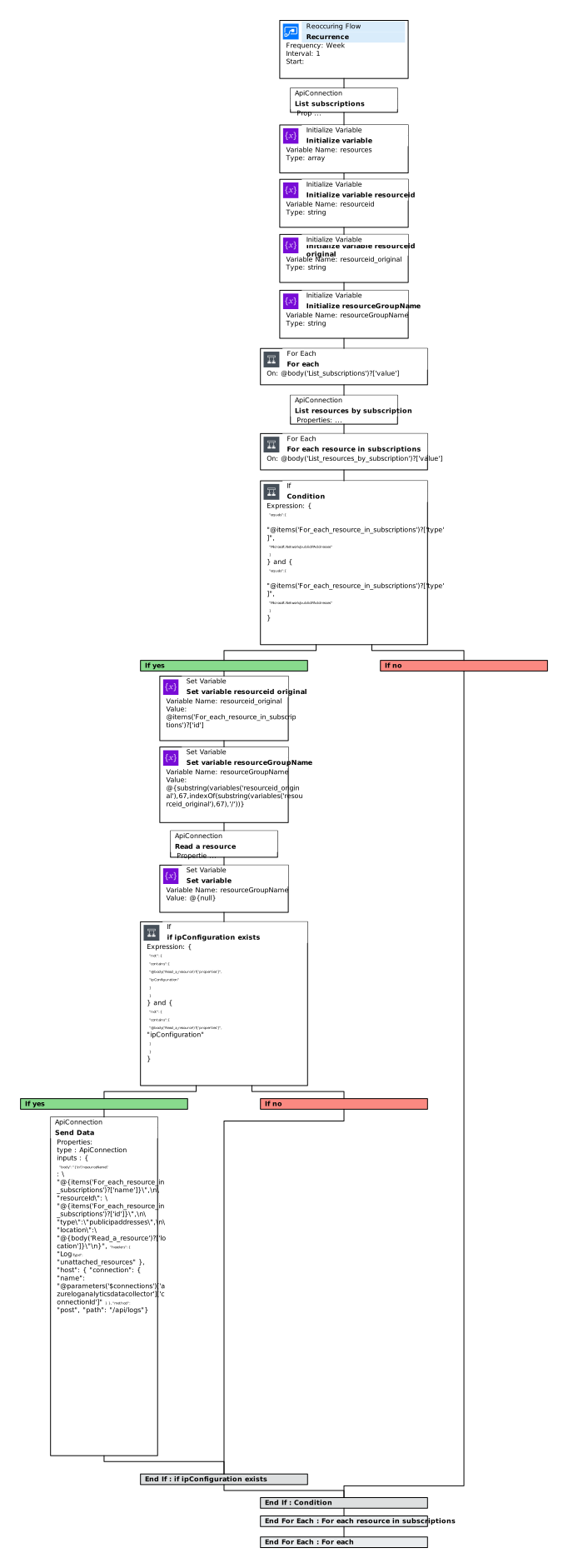
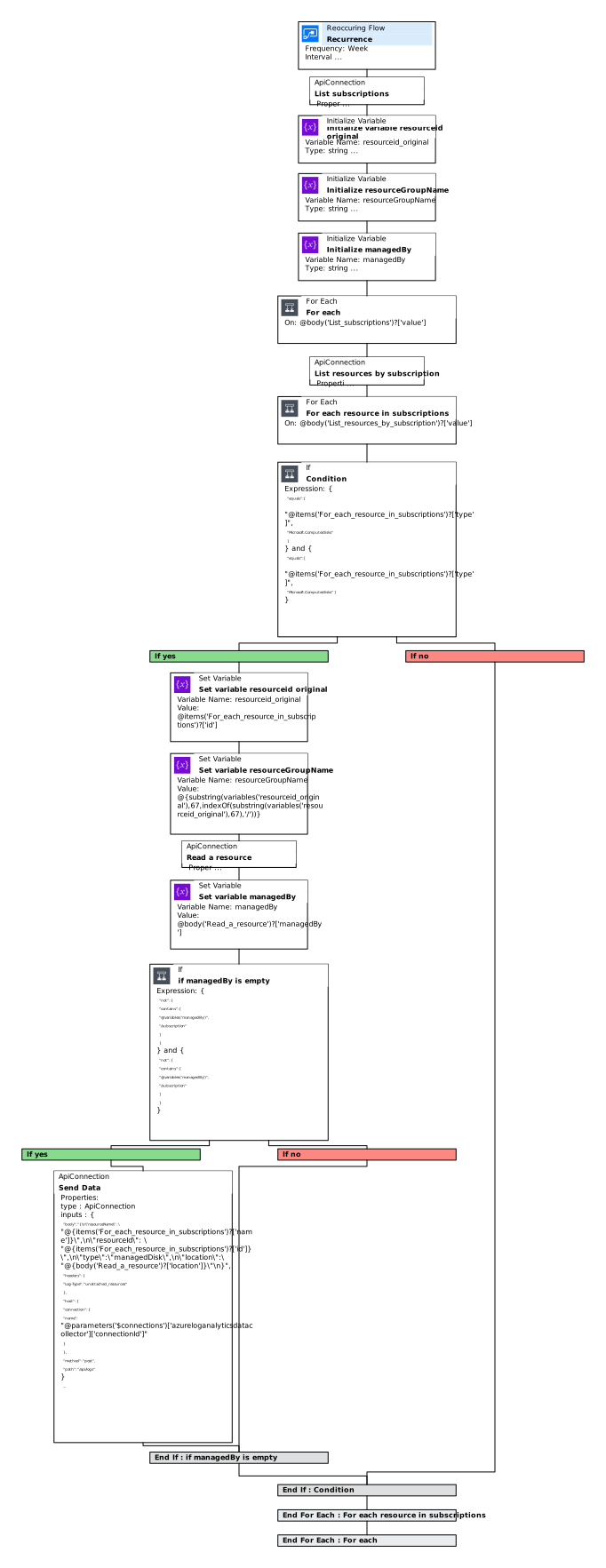
Both Logic Apps use the ARM connector with a Managed Identity, so the Logic App itself holds the permissions rather than a stored credential. Each one queries for a specific resource type, filters for unattached or idle instances, and logs them to Log Analytics.
In this example I’ve kept the action simple — log the resources. But you could extend this to add a tag on the first run and delete on the second, send an approval email before any action, or raise a ticket in your service desk. The full Logic App templates are in my GitHub here.
Unattached Public IP Address Flow
Unattached Disks Flow
Assigning Permissions
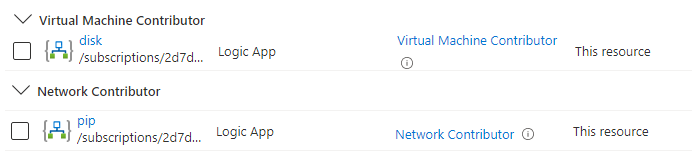
After creating the Logic Apps you need to assign RBAC roles to their Managed Identities. The minimum permissions needed:
- Public IP Logic App —
Network Contributorover the relevant subscriptions or resource groups - Disk Logic App —
Virtual Machine Contributorover the relevant subscriptions or resource groups
Keep the scope as narrow as your environment allows — subscription-level works fine if your resources are spread across resource groups, but resource group scope is better if you can manage it.
Common Mistakes
Using stored credentials instead of a Managed Identity. Managed Identity removes credential rotation entirely. There’s no reason to use a stored service principal for a Logic App that stays within Azure.
Scoping permissions too broadly. Owner or Contributor at subscription level is overkill for reading resource properties. Give the Logic App only what it needs — Network Contributor for Public IPs, Virtual Machine Contributor for disks.
Alerting on every run. If you log or alert on every unattached resource every time the Logic App runs, you’ll drown in noise for resources that are intentionally idle. Consider a tagging approach: tag on first discovery, escalate on second.
Not testing the filter logic before connecting actions. Run the Logic App in a non-destructive mode (logging only) for a few days before connecting any delete or tag actions. Make sure the filter is catching what you expect and nothing else.
Summary
Two Logic Apps, a Managed Identity, and a Log Analytics workspace give you ongoing visibility into idle Public IPs and unattached disks — two cost drains that Azure Advisor misses or catches too late. The pattern is intentionally flexible: swap the Log Analytics action for a tag, a service desk ticket, or an approval email depending on how automated you want the remediation to be. Assign minimum necessary RBAC permissions and run in logging-only mode first before adding any destructive actions.
What to Explore Next
- Azure Cost Management + Billing — native cost analysis and budgets
- Azure Advisor — built-in recommendations, including some cost optimisation
- Automating your blog — the same Logic App and ARM connector patterns in a different context
- Logic Apps ARM connector documentation
